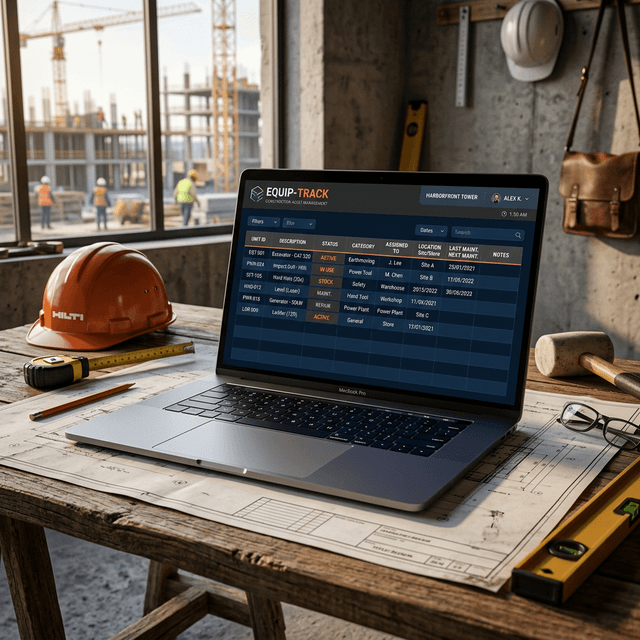
If you’re running a construction crew, you know the pain: another Monday morning, another missing impact driver.
According to Reddit’s r/Construction community, tool disappearance isn't just an annoyance—it's a massive financial leak. One General Contractor recently shared, "I lost $20,000 in tools over 3 years. Even the trailer got hitched up and stolen."
You don't need a $10,000 Enterprise ERP system to stop the bleeding. If you're currently using the "honor system" or a dusty whiteboard in the trailer, moving to a simple Excel spreadsheet is your best first step.
To help you get started immediately, we've built 3 free, professionally formatted Excel templates specifically for construction contractors.
Get the Free Template Pack
Download all 3 templates (Sign-out Log, Inventory Register, and Maintenance Tracker). No credit card required.
Download Free TemplatesWhat’s Included in the Template Pack?
We didn't just create a generic inventory list. We built three distinct tools that solve the three most common problems on a job site.
1. The "Who Has It?" Tool Sign-Out Log
This is your daily accountability tracker. Print it out and leave it on a clipboard in the tool crib, or keep it open on the foreman's tablet.
Why you need it: Resolves the "I thought Mike had it" arguments instantly. Key Columns:
- Tool Description & ID
- Worker Name
- Date Checked Out
- Assigned Job Site
- Date Returned & Condition
2. The Master Equipment Inventory Register
When your trailer gets robbed at 2 AM, the insurance company will ask for serial numbers, purchase dates, and replacement values. If you don't have them, your claim will be delayed or denied.
Why you need it: Protects your assets for Inland Marine insurance claims and helps your CPA with end-of-year depreciation. Key Columns:
- Category (Power Tools, Hand Tools, Heavy Machinery)
- Brand, Model, and Serial Number
- Purchase Date & Cost
- Current Location/Status
3. Equipment Maintenance Schedule Tracker
Your $2,000 generator just died because nobody remembered to change the oil. Don't let preventative maintenance fall through the cracks.
Why you need it: Extends the life of your most expensive assets and prevents job-stopping breakdowns. Key Columns:
- Equipment Name
- Maintenance Interval (e.g., Every 100 Hours)
- Last Service Date
- Next Due Date
- Service Provider
The Hidden Danger of Excel (And When to Upgrade)
These templates are 100x better than doing nothing. However, as your crew grows, you will eventually hit the "Excel Wall":
- The Sync Problem: The foreman updates the spreadsheet on his laptop, but the office manager is looking at a different version.
- The "Fat Finger" Problem: Workers accidentally delete rows or mess up formulas.
- The Bottleneck: Only one person can efficiently update the sheet, so it eventually stops getting updated at all.
The Next Step: Scan & Go
When you're ready to graduate from manual data entry, you don't have to spend a fortune.
With ScanCrib, you can import this exact Excel spreadsheet in 5 minutes. Every tool gets a QR code. Your workers just point their phone camera, tap to check out, and leave.
- No app for workers to download.
- Unlimited crew members for free (we never charge you $10/user like the other guys).
- Free forever for your first 100 tools.
Ready to skip Excel entirely?
Don't want to mess with spreadsheets? Start your ScanCrib account for free today. Unlimited workers, no app required.
Start Free with ScanCribReady to Ditch the Spreadsheet?
Start with our free Excel templates, or jump straight to ScanCrib — free forever for up to 100 tools.
Get Free Templates